Inspiration
As promised in my last post, I’ve been experimenting with UnofficialSF’s Flow Actions. I’m in love with the Execute SOQL query action.
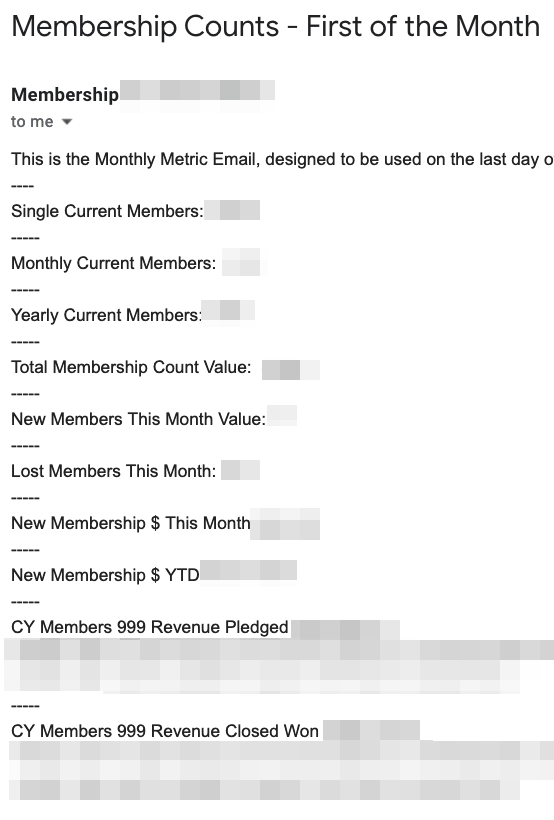
With it, I was able to create a Flow to send a daily email with metrics from Salesforce. The SOQL query lets me do things like get the membership revenue so far this month and member counts without looping through all those records.
I’ve got plans to use this same kind of Flow to send myself data quality monitoring emails. There’s nothing wrong with reports, but sometimes getting a single email that shows you where things are is really helpful!
If I wanted to show member count progress over time, I’d need to use Reporting Snapshots or something similar. (Reporting Snapshots are great, but they’re an extra step.) In this particular case, I wanted this data in an email is because it is destined for Google Data Studio, where it lives with website data that doesn’t belong in this Salesforce instance. While you can set things up to automatically go to Google Data Studio, sometimes it is nice to have someone take a look at the numbers before they go in, and to have a record in an inbox in case things go wrong.
Fancier solutions are definitely available, but this one is simple and cheap.
Salesforce Release Information
Summer ’22 is coming! Sandbox preview will start May 6, when we’ll start getting more information about what to expect. It looks like we’ll get some nice Flow updates, as well two report improvements you’ll probably like. They’re both described here – an easier way to choose a Report Type (which is the hardest thing about Salesforce Reports!) and more inline editing. Another update I’m excited about is Scoping Rules. For years I’ve watched new users trip over the default records they’re shown. It is incredibly common for new Salesforce users to believe their Salesforce instance has no data because of all those empty Recently Viewed screens! Being able to refine without restricting has real potential to improve the user experience.
 Artisanal Data