Salesforce announced Nonprofit Cloud a while back and lots of organizations now have to decide if they’re interested in migrating or not. For an organization with a mature NPSP instance, the cost of moving to Nonprofit Cloud is significant. I did have a user let me know that they found the timeline feature (described here in the Donor Engagement) section very appealing. I can see why! This particular organization is in no position to move to a new product right now, and so I wondered how easy it would be to build something quickly that would give them “good enough” access to similar functionality. So many non-profits are moving so fast and with such limited resources that I like to at least look at good enough options before choosing something much more expensive and time-consuming.
While the solution I came up with lacks the really nice visualization of Nonprofit Cloud it is extremely fast to implement. If used in combination with some field value that indicates a Task or Email is important enough to belong on the timeline, it could provide users with a lot of value for very little investment of time or money.
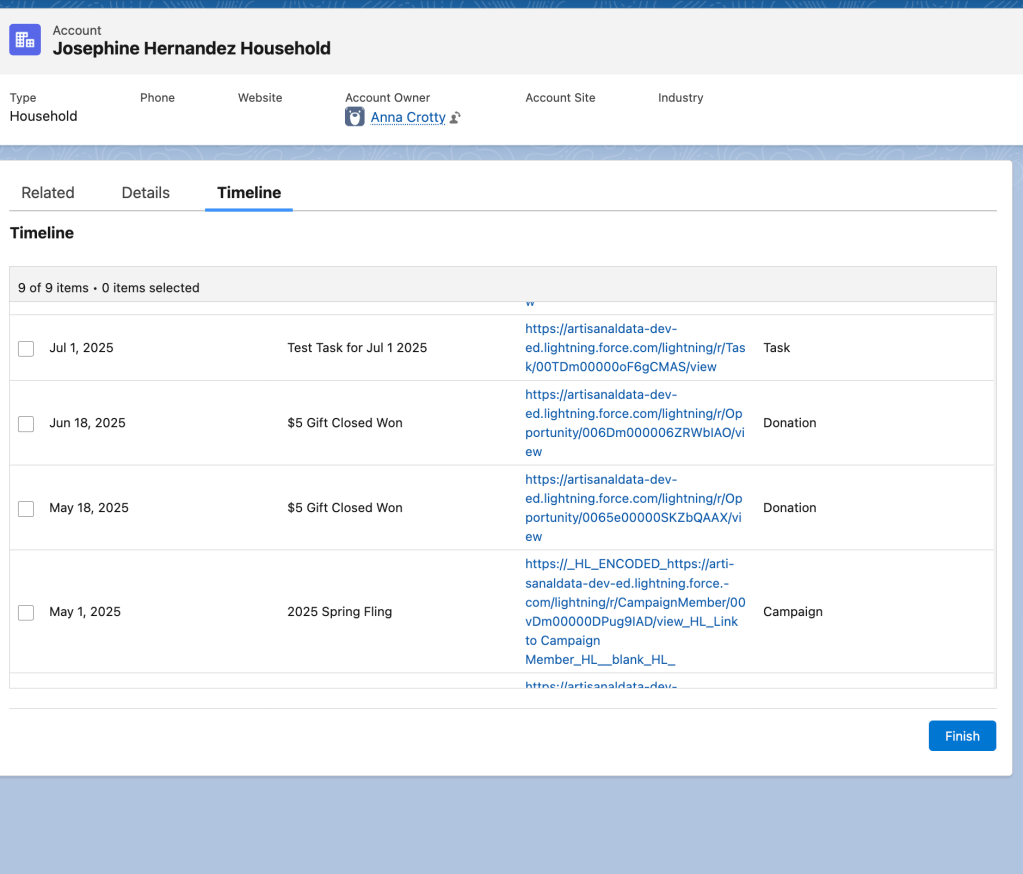
First I created a custom object called Timeline Entry. These records don’t actually get saved.
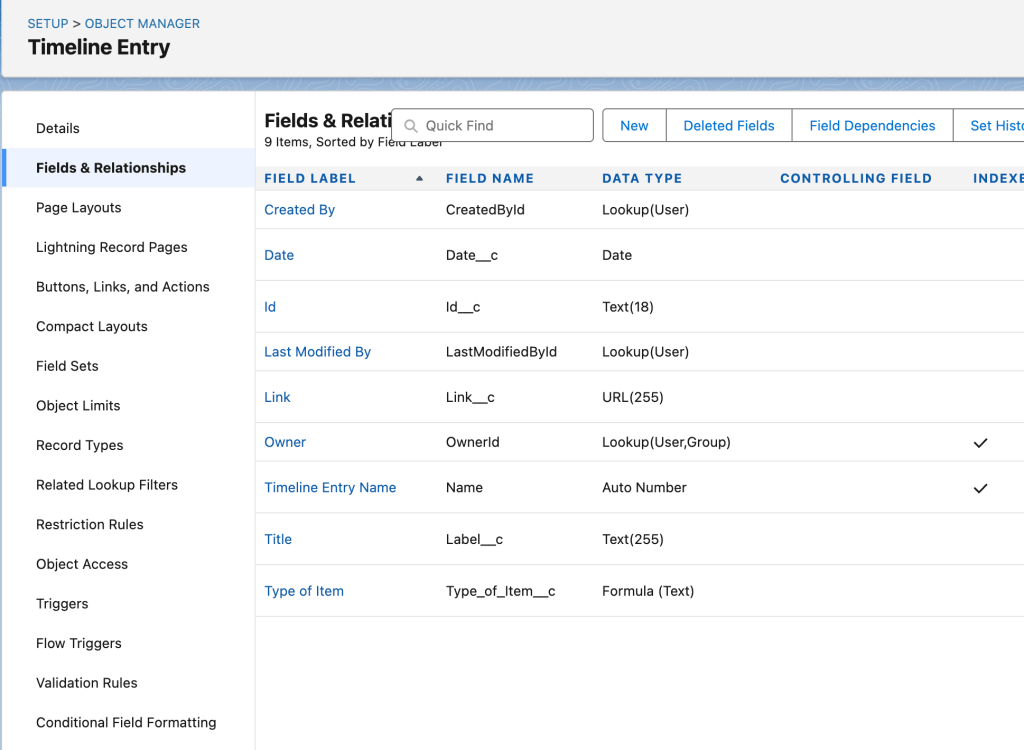
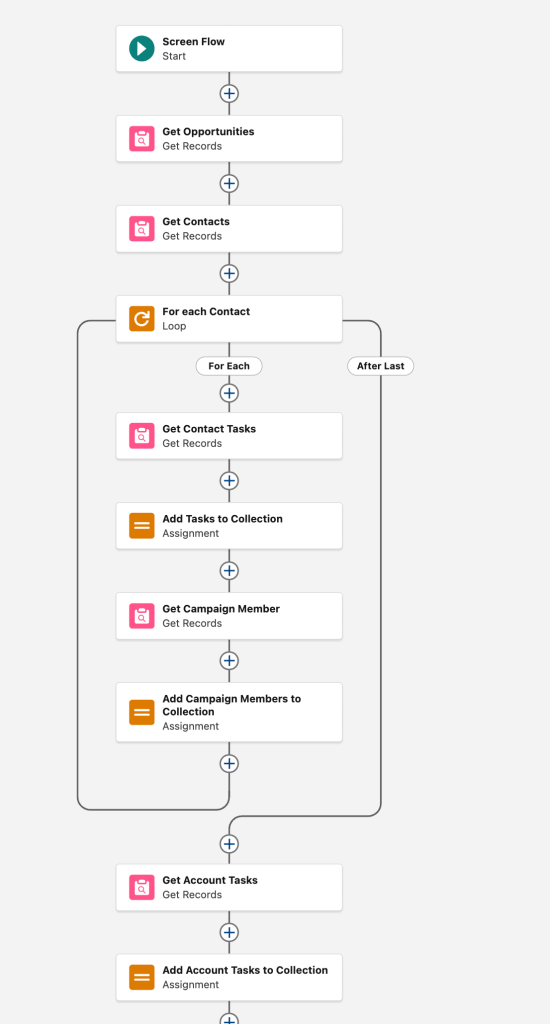
Then I created a Screen Flow, available on the Account page. It gets Tasks, Opportunities and Campaign History for the Contacts in the Account and displays them in chronological order. I was not able to add Files to this view. In order to easily search for Campaign Member records, I added new fields to that object for Campaign Name and Campaign Start Date. Once those records are retrieved, it assigns them to Flow variables that are Timeline Entry records. A Data Table widget in the screen flow displays the Timeline Entry records in chronological order, with links to those records. There’s no DML step to save the records, they’re just assigned to a Flow variable.
The first half of the Flow does have two DML elements in a loop, which is terrible, but for an organization where Accounts almost never have more than two Contacts, this won’t be an issue. In general, if these DMLs hit limits, that probably means the timeline would have been too verbose to be useful, anyway! Any of these Get Records elements could have filters that would ensure the results are manageable, both for the Flow limits and for the user who wants a quick overview.
Note that depending on how the organization uses Tasks, you may not need to get Contact and Account Tasks, or you may need to get them all and then de-dupe the collection – it just depends on the underlying data.
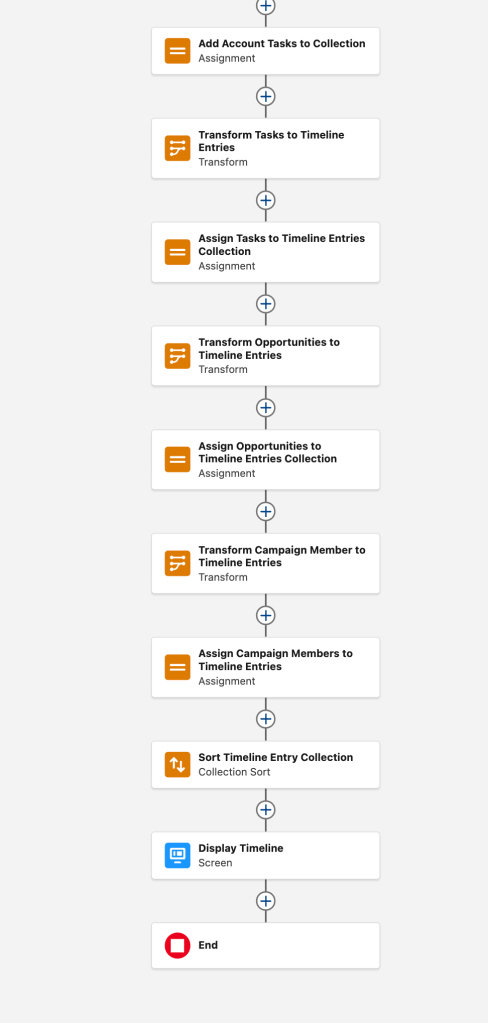
The second half of the Flow uses Transform to assign values to the Timeline Entries and put them in a collection to display.
 Artisanal Data